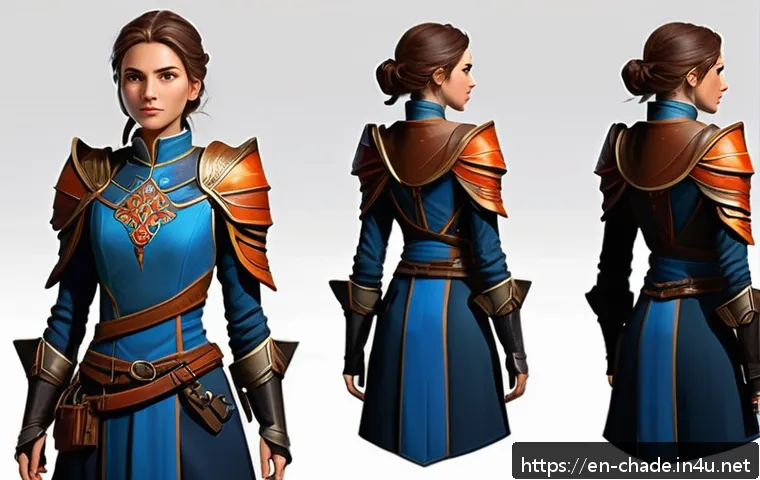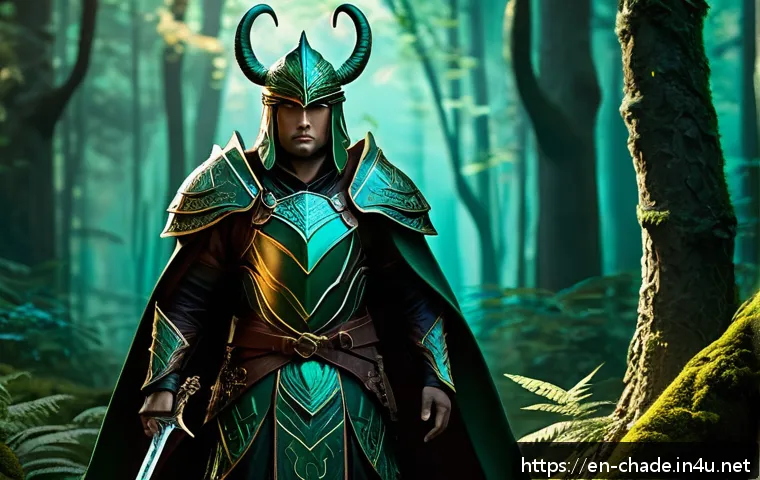
A competition-ready character design entry balances brief compliance, readable design, and a presentation format that makes judging easy . Start by turning the rules into a checklist before investing time in rendering, software subscriptions, printing, or portfolio extras.

A polished image can still fail if its dimensions, file type, rights status, or required content are wrong. Choose tools based on your current workflow, deadline, and the exact submission requirements—not on the assumption that costly gear automatically improves the entry.
A clear concept, strong silhouette, and organized files usually create more value than unnecessary visual complexity. Always review the organizer’s current rules for eligibility, usage rights, AI-assisted work, fan art, and submission details.
At a Glance
- Read the brief first: required themes, format limits, and rights rules should shape the design from the beginning.
- Make the character readable: role, silhouette, color, costume, and props should communicate quickly.
- Submit cleanly: use the requested files, naming format, image limit, and deadline process.
| Decision Area | Best Fit When | Trade-Off to Check |
|---|---|---|
| Single hero illustration | The contest asks for one image or rewards mood and visual impact. | May show less information about the character’s full design. |
| Character sheet | The brief values design clarity, costume details, or visual development. | Requires organized layout and can reduce room for dramatic rendering. |
| Turnaround view | The organizer requests multiple angles or production-friendly design information. | Useful only when extra views are permitted or clearly relevant. |
| Paid digital art software or assets | Your current tools block a required export, layout, or production step. | Check licensing, learning time, and whether the purchase solves a real problem. |
| Print proof or outside critique | Physical presentation is required, or feedback can address a known weakness. | Allow time for revisions; feedback is not a substitute for following the brief. |
What Makes a Character Design Entry Competition-Ready?
A strong entry is not simply a detailed illustration. It is a design that answers the competition’s request clearly while showing your own visual judgment. The best preparation is to treat every rule as part of the creative problem, not as an administrative task saved for the final day.
Start with the brief, not the final illustration
Read the full brief before sketching. Pull out the required theme, subject, technical limits, image count, written-description rules, and submission method. If the judging criteria are listed, use them as a production priority list. For example, if the brief emphasizes character storytelling, a beautiful costume without a clear role may be less useful than a simpler design with an obvious purpose.
Do not assume that rules from a previous contest apply. Eligibility, deadlines, entry fees, AI policies, and usage rights can differ for every organizer.
Prioritize readability, originality, and clear visual storytelling
Ask what a viewer understands within a quick glance. Is the character’s role visible? Does the silhouette remain recognizable without tiny details? Are the main colors helping the viewer find the face, hands, weapon, tool, or other important focal point? A readable design does not need to explain every story element with labels.
Originality also means avoiding a design that depends too heavily on one artist’s recognizable visual language. Use references for research, materials, clothing construction, mood, and real-world function. Then combine and transform those observations through your own concept choices.
Use the top-three submission checklist before creating final art
- Required content: theme, character type, format, and allowed image count.
- Technical delivery: dimensions, file type, file size, and naming requirements.
- Rights and eligibility: ownership terms, asset licenses, AI rules, fan-art restrictions, and age or location requirements where applicable.
Turn the Competition Brief Into a Design Plan
A vague theme becomes manageable when you turn it into decisions. Your goal is not to make a giant document; it is to create a short design plan that prevents late changes.
Extract required themes, format limits, and judging signals
Write a one-sentence summary of what the contest appears to request. Then separate mandatory requirements from creative opportunities. A mandatory requirement might be a file format or theme. A creative opportunity might be showing personality through accessories, posture, or environment.
If the organizer requests a written statement, keep it useful. Explain the role, core idea, and a few intentional design decisions. Do not use the statement to compensate for art that does not communicate visually.
Define the character’s role, audience, personality, and silhouette
Give the character a job or narrative function. A courier, archivist, mechanic, explorer, performer, guardian, or rival will each need different visual signals. Next, decide who the character is designed for: a game audience, animation audience, editorial setting, collectible concept, or another context suggested by the brief.
Build around a simple silhouette first. Large shape decisions are easier to read than a collection of small decorations. Then add a limited set of details that support personality: a practical bag, worn gloves, ceremonial trim, a carefully chosen prop, or a posture that reveals confidence or caution.
Build a reference board without copying another artist’s design language
A reference board can include real clothing, historical objects, architecture, textures, animals, tools, lighting, and color moods. Group references by purpose so you know why each image is there. One group may inform materials; another may inform shape language; another may inform atmosphere.
Avoid using one finished character design as your template. If your sketch still looks like the source after you remove the reference, step back and change the silhouette, construction logic, color relationships, and storytelling choices.
Choose the Right Presentation Format and Tools
Your presentation should match the information judges need to see. More pages, more apps, and more rendering are not automatically better.
Single illustration vs. character sheet vs. turnaround: when each format adds value
A single hero image works well when the contest calls for a strong final illustration, emotional scene, or immediate visual impact. It can show scale, mood, and attitude, but it may hide the back of a costume or important functional details.
A character sheet is useful when design clarity matters. It can combine a main pose, detail callouts, expression studies, color notes, and props. Keep the hierarchy clear: the main character should remain the focal point.
A turnaround adds value when multiple angles are requested or when the design needs to prove construction logic. If it is not required, only include it when the rules permit additional images and it improves understanding.
Compare digital art software, tablet workflow, and portfolio-layout options
Use the digital art software you can operate reliably under deadline. Consider whether it supports the requested canvas size, color workflow, export formats, layered files if needed, and clean image output. A new subscription may be reasonable if it solves a specific delivery issue, but switching software near a deadline can introduce avoidable friction.
For tablet workflow, reliability matters more than brand prestige. Make sure you can draw comfortably, save files safely, and export without surprises. For a portfolio layout, choose a simple format that keeps text readable and images sharp. A portfolio platform can help organize work, but it does not replace the contest’s official upload process.
When paid assets, printing, or outside feedback are worth the cost
Paid brushes, textures, fonts, mockups, and stock assets should be considered only after checking their license terms. If a contest limits outside assets or requires original work, decorative additions can create unnecessary rights questions.
A print proof can be useful when physical submission is required or when you need to inspect small text, dark values, and layout balance away from a screen. Outside feedback can help when you have a specific question such as, “Does the silhouette read?” or “Is the presentation board easy to scan?” Choose critique that gives actionable comments, then leave enough time to decide what to revise.
Build the Entry Efficiently Without Losing Quality
Efficiency is not rushing. It is making major decisions while changes are still inexpensive.
Create thumbnails and select one concept before rendering
Make small thumbnails that test pose, silhouette, focal point, and composition. Compare them at a reduced size. If the idea becomes unclear when small, extra rendering will not fix the core design. Select one direction, then create a simple value and color plan before committing to detailed linework.
Plan color, costume details, props, and expression for fast visual reading
Use color to organize the design rather than decorate every area equally. A controlled palette can guide the eye toward the face or key prop. Costume details should reveal function, culture, status, or personality. Props need a reason to exist: they can show the character’s work, goal, habit, or world.
Expression and pose should support the same story as the clothing and objects. A cautious researcher, for instance, may need a different stance and prop handling than an aggressive arena fighter.
Export files, name assets, and keep a revision buffer before the deadline
Export a test file early and inspect it at the intended viewing size. Use clear filenames that match the organizer’s naming rules. Keep a working file, an export folder, and a final-submission folder separate so you do not upload an outdated version by mistake.
Leave a revision buffer. The last stage often reveals spacing errors, missing details, accidental text edits, export artifacts, or a rule you misunderstood.
Avoid Common Submission and Rights Mistakes
Many avoidable problems happen after the art feels finished. Treat the submission stage as part of the project.
Check dimensions, file types, image limits, and naming requirements
Confirm the exact upload requirements on the official competition page. Check whether the platform accepts your file type, whether there is an image-count limit, and whether a title, description, or filename format is required. Do not rely on what another competition accepted.
Review originality, licensed brushes/assets, fan-art restrictions, and AI rules
Review every external element in the entry, including textures, stock images, fonts, 3D bases, brushes, and reference-derived details. Read the relevant license terms and the organizer’s rules. Also verify whether fan art, existing characters, mature themes, or AI-assisted artwork are permitted.
When the policy is unclear, check the official rules or ask the organizer before submitting. Do not assume that keeping ownership of your artwork, allowing promotional use, or granting a license works the same way in every contest.
Avoid overexplaining the design when the artwork should communicate first
A short statement can support the entry, but dense paragraphs often make a presentation board harder to scan. Let the main image communicate the character’s identity, then use a few concise notes only where they add information that cannot be shown visually.
Selection Criteria and Comparison Summary
Choose your final submission setup by checking these points:
- Brief match: Does the format directly satisfy the required theme and deliverables?
- Presentation need: Does one image explain the character, or would a character sheet add essential clarity?
- Tool value: Will digital art software, a portfolio-layout tool, or a tablet upgrade solve a specific workflow problem before the deadline?
- Budget control: Are printing, paid assets, or professional feedback necessary for this entry rather than merely appealing?
- Rights confidence: Can you confirm that your artwork and any included assets meet the competition’s originality and usage requirements?
- Submission readiness: Have you checked the final exported file and the official submission instructions?
If you are comparing software, portfolio platforms, print services, or critique options, review the official feature lists, licensing terms, export options, and current conditions on the relevant page before choosing.
Closing Thoughts
A competition entry becomes stronger when the concept, presentation, and submission process support one another. Start with the rules, make the design easy to understand, and choose only the tools that improve a real part of your workflow. A well-organized character sheet or single illustration can be more persuasive than a more expensive setup with unclear visual priorities. Before submitting, take one final look at the entry as a judge would: quickly, at a normal viewing size, and against the brief.
Useful Things to Know
Keep a version history: saving clear versions makes it easier to compare revisions and recover from mistakes.
Check at small size: a reduced view can reveal whether the silhouette and focal point still work.
Separate art from delivery files: preserve editable source files even after exporting the final image.
Read current organizer information: contest rules and submission platforms can change.
Important Notes
This is a general preparation guide, not a substitute for an individual competition’s official rules. Eligibility, deadlines, fees, judging criteria, accepted formats, ownership terms, AI policies, fan-art rules, and asset restrictions must be confirmed for the specific competition you plan to enter. Do not assume that a tool license or portfolio platform policy automatically meets the organizer’s requirements.
Frequently Asked Questions
Q1. Do I need expensive drawing software or a professional tablet to enter a character design competition?
A1. Not necessarily. Use tools that let you create readable work, save reliably, and export the required file format. Consider paid digital art software or hardware only when your current setup cannot meet a specific technical or workflow need.
Q2. Is a character sheet better than one polished illustration for a design contest?
A2. It depends on the brief. A character sheet is helpful when judges need to evaluate costume construction, props, expressions, or multiple views. One polished illustration may be the better choice when the contest asks for a single image or emphasizes mood, storytelling, and visual impact.
Q3. How can I check whether my character design is original enough to submit safely?
A3. Review your references and identify whether your design relies too strongly on one artist, franchise, or existing character. Change the major shape language, function, silhouette, construction choices, and visual story until the design stands on its own. Then check the competition’s rules on fan art, external assets, and AI-assisted work before submitting.